Run AI inference
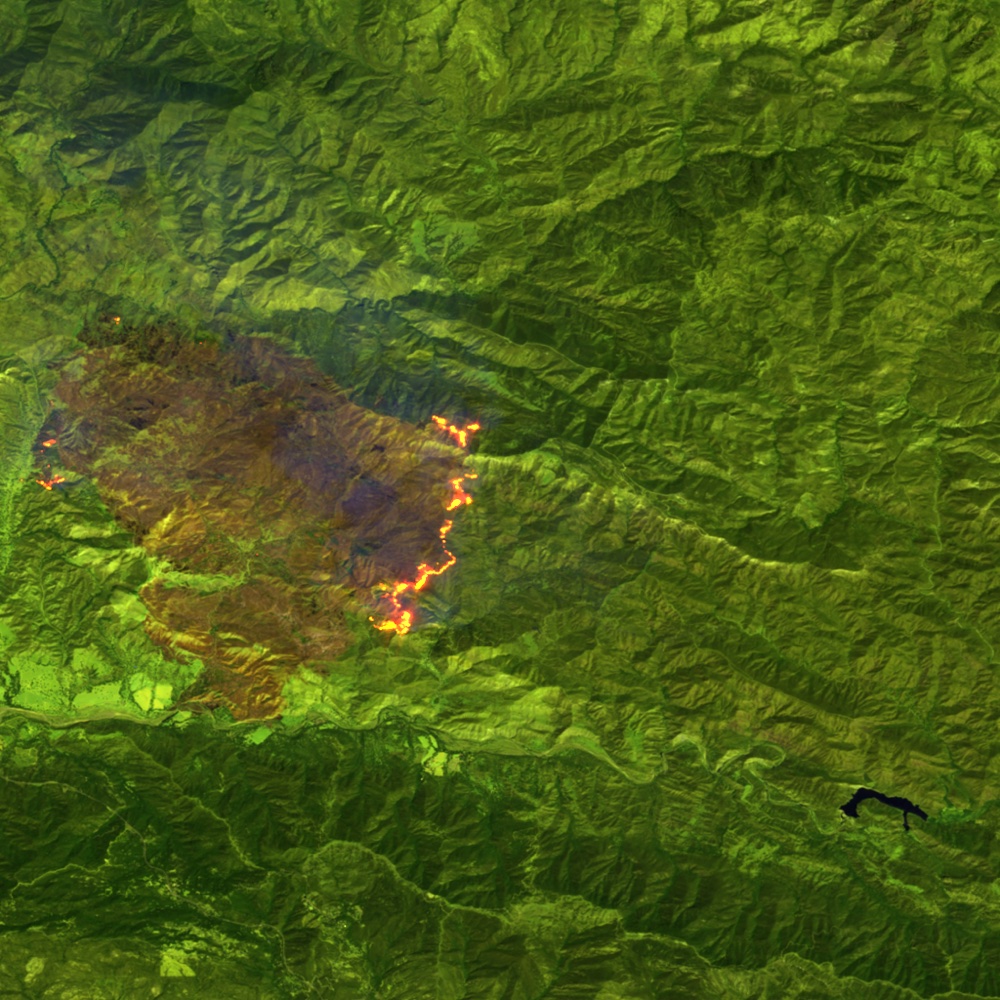
Run an existing inference service on SpaceOS and send its result to the ground. A contact window is the few minutes in which the satellite is in radio range of a ground station. A window of T seconds on a downlink of R bits per second carries R × T / 8 bytes. A ten-minute pass (T = 600 s) on a 100 kbit/s UHF link carries 7.5 MB, less than one satellite image of a wildfire, which is tens of megabytes. A mask of the active fire fronts is a few kilobytes, so hundreds of masks fit in that pass. The manifests below hold for wildfire segmentation and for any other compiled model.

Prerequisites
- The Space CLI, installed as the documentation home shows.
- An inference service that builds from a Dockerfile. It accepts
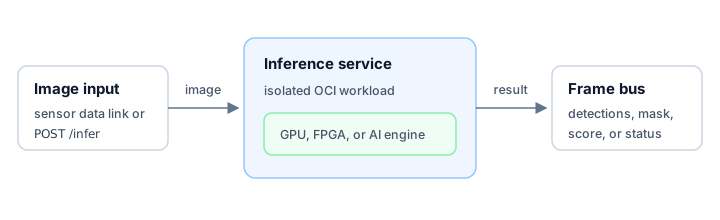
POST /inferand answers{"accepted":true}, then writes each result to the SpaceOS frame bus. - A registry that can store the service image.
The service uses two SpaceOS data paths. A data link is a high-throughput path for sensor data, granted to the service by name in the signed release. The frame bus carries telemetry, the measurements and state the spacecraft sends down, and telecommands, the instructions the ground sends up, between partitions and the ground. Each message on it is a fixed 256-byte frame labeled with an APID, the stream identifier of the CCSDS standards, which the Consultative Committee for Space Data Systems publishes for spacecraft communications. The workload runtime contract describes how a service reaches it.
Step 1: Build the service image
space build builds the service's Dockerfile in the builder VM and signs the
ARM64 image. space image push publishes it to the registry its reference
names:
space build -f Dockerfile -t ghcr.io/<your-org>/wildfire-segmenter:1space image push ghcr.io/<your-org>/wildfire-segmenter:1SpaceOS runs any OCI image, so an existing pipeline works unchanged:
docker buildx build \ --platform linux/arm64 \ -t ghcr.io/<your-org>/wildfire-segmenter:1 \ --push \ .Add linux/amd64 to --platform when you also want to run the service on an
x86-64 computer.
Step 2: Place the service in a project
Create space.yaml:
schema: space.projectversion: "1"
build:  output: _build/spaceos
run:  partitions:    payload:      init: pid1      disk: true      memory: 2048      apids: [0x120, 0x12F]      requires:        frame_bus: [sdls-downlink]      services:        - name: wildfire-segmenter          image: ghcr.io/<your-org>/wildfire-segmenter:1          runtime: oci          isolation: runc          cpus: [0, 1]          interfaces:            - type: ip              bridges: [payload-net]            - type: frame_bus              apids: [0x120, 0x12F]              send_to: [sdls-downlink]            - type: data_link              link: sensor-input              mbps: 200              mode: stream          healthcheck:            type: http            port: 8080            path: /health  relay:    from: payload    to: [ground]  ground:    port: 8080    socket: /tmp/spaceos/ground.sock
The data link carries source imagery into the service. mbps declares the
rate, in megabits per second, the service needs on the link. mode: stream
receives the link as a continuous stream; mode: rmap instead reads and
writes a remote memory map with the SpaceWire Remote Memory Access Protocol
(ECSS-E-ST-50-52C). The frame bus carries the small results and status
messages out. Keep large image products on the data link or in
content-addressed storage.
The partition owns the memory and the APID range,
and the service owns its CPU set. The send_to list on the service's
frame_bus interface limits where it may send. sdls-downlink is the bus
endpoint that sends frames to the ground under
SDLS, the CCSDS link security protocol that adds
a sequence number and a message authentication code to each frame. This
project runs one service, so requires.frame_bus states that the node
provides the sdls-downlink endpoint. A send_to must name a service of the
project or an endpoint listed there, and any other name is refused as a
misspelling.
Resolve the file before you build:
$ space show --sbom | sed -n '1p;4p'No signed SBOM at _build/spaceos/spaceos.spdx.json yet; printing the SBOM computed from space.yaml kernel ghcr.io/parsimoni-labs/uniboot-kernel/node:6.18.39-62332cf6bcc6@sha256:21e9b2669e2347dd0a9b7703a248bf191ef91e412ae6b720f3d3768f6cfbbd8f$ space run --dry-run | sed -n '4,7p'partitions: payload 2048 MB apids 0x120, 0x12f services: wildfire-segmenter runc cpus 0, 1Step 3: Run it on your computer
Build the project and boot it in the local VM:
space build . -t wildfire-segmenter:devspace run wildfire-segmenter:devIn another terminal, watch the service:
space statusspace status --jsonspace logs wildfire-segmenterFind the wildfire-segmenter IP address in the JSON report, then send the
service an image:
curl --fail --data-binary @scene.tif http://<service-ip>:8080/inferThe service answers {"accepted":true}. Open the local dashboard at
http://localhost:8080 to see the result message on APID 0x120.
Step 4: Deploy the release
Build a release image and deploy it to a connected target. Port a Linux app shows how to generate the release identity and connect the target:
space build . \ -t ghcr.io/<your-org>/wildfire-composition:1 \ --release \ --signing-key release \ --rollback-index 1space image push ghcr.io/<your-org>/wildfire-composition:1space deploy ghcr.io/<your-org>/wildfire-composition:1 --target <target> --planspace deploy ghcr.io/<your-org>/wildfire-composition:1 --target <target>--plan prints the image chosen for the board, its CPU architecture, and each
service's isolation backend before anything ships. space status then shows
the deploy's phase on the target.
A target admits a GPU, FPGA, or AI engine only when its profile declares one, and no shipped target profile declares an accelerator. To move the service onto an accelerator, keep its name and its image and pick a target whose profile lists the device the image needs; the partition model chapter dates that selection. The boards it is built for are the Jetson TX2i for CUDA and TensorRT, the VCK190 for Vitis AI and FPGA execution, and the Kalray Coolidge for many-core execution on its processor array; Supported targets records where each one stands.
Send only the compact result, such as a mask or a detection list, to the frame bus. Keep the original sensor product on board unless the mission asks for it. Fewer bytes then cross the space link, and the ground acts on the result sooner.